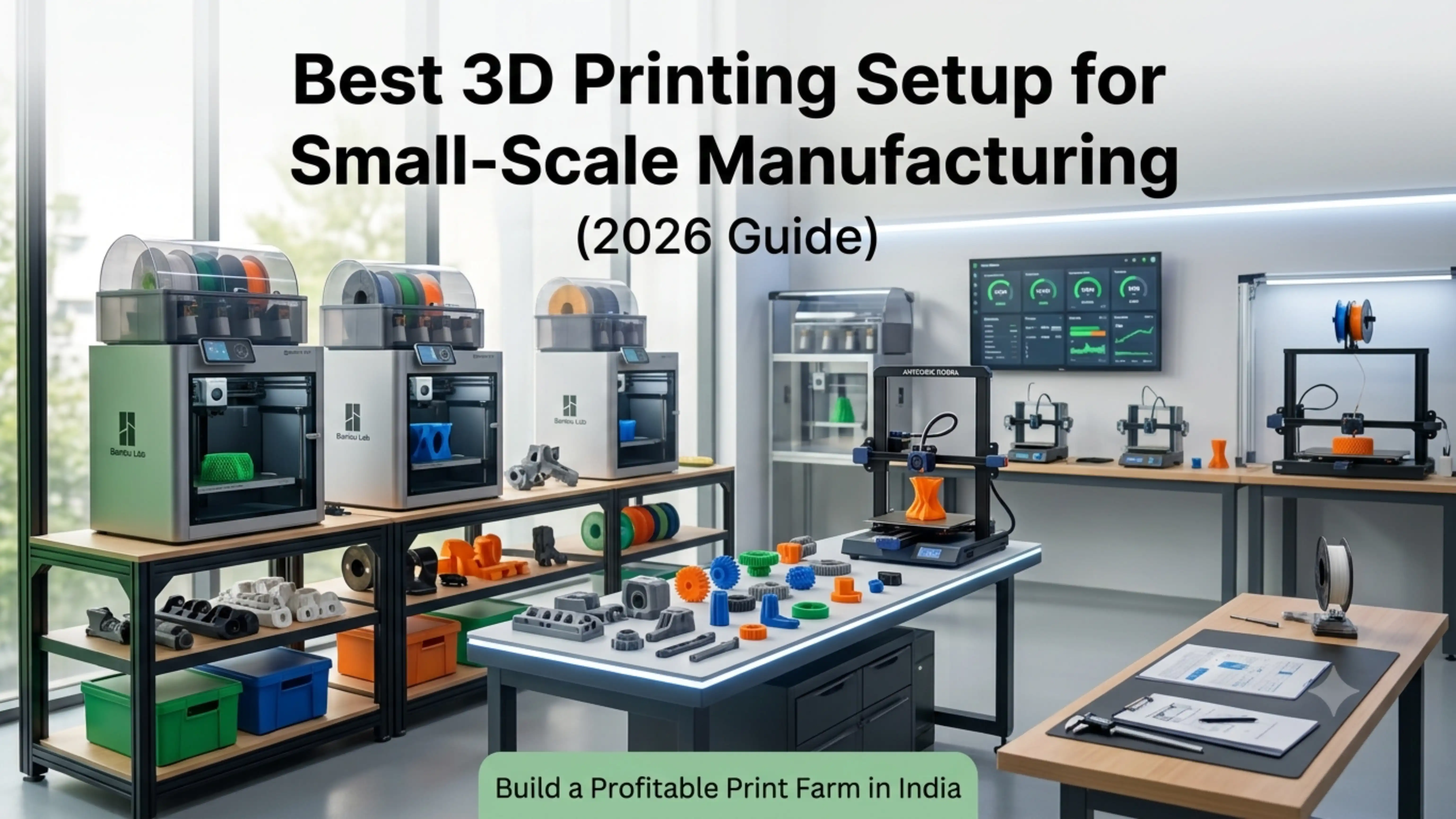
Small-scale manufacturing has changed permanently. Where once it required tooling investment, dedicated machinery, and minimum order quantities, today a well-designed 3D printing business setup lets entrepreneurs serve real production demand from a single room — and scale from there into a multi-machine print farm without massive capex.
This guide explains how to build that setup, what machines to choose, how much it really costs, and how to run a production workflow that delivers consistent quality and meaningful profit.
What Is a 3D Printing Business Setup?
A 3D printing business setup combines machines, materials, software, and workflow systems to produce parts using additive manufacturing — at production volume, not as a hobby.
The setup covers:
Printers chosen for uptime, throughput, and material support
Materials with consistent quality and reliable supply
Software for design, slicing, and production management
Workflow that handles design intake, printing, post-processing, QC, and despatch
Physical space with proper power, ventilation, and organisation
Treat the setup as a single integrated system. Buying just the printers and improvising the rest is the most common reason new print farms underperform.
Why Choose 3D Printing for Small-Scale Manufacturing?
Conventional manufacturing requires significant upfront capital and locks you into specific products. Tooling for injection moulding costs lakhs and only makes sense for thousands of identical parts.
3D printing inverts every one of those constraints:
No tooling cost. Print the first part for the same per-part cost as the thousandth.
Fast iteration. Design changes go from CAD to production in hours, not weeks.
Low capital entry. A serious small-business setup starts at ?2–4 lakh.
Customisation profitability. Each part can be unique without raising cost.
Inventory reduction. Print on demand instead of holding warehouse stock.
For Indian small manufacturers and entrepreneurs, the model fits brilliantly: low risk to start, fast path to revenue, and a scaling path that doesn’t require massive reinvestment.
Cost Breakdown: 3D Print Farm Setup Cost in India
Realistic investment brackets:
Beginner Setup (1–2 Printers)
Printers: ?15,000–?40,000 each (Anycubic Kobra, Creality Ender 3 V3)
Filament and starter materials: ?10,000
Workspace setup (table, lighting, storage): ?5,000
Software: free (PrusaSlicer, OrcaSlicer, Cura)
Total: ?50,000–?1,00,000
Intermediate Setup (5–10 Printers)
Printers: ?1.5L–?4L (mix of Bambu Lab P1S and Anycubic Kobra)
Material stock: ?50,000–?1,00,000
Workspace organisation, racks, ventilation: ?50,000
Power backup (UPS or inverter): ?40,000–?80,000
Software (LightBurn, professional CAD): ?20,000–?50,000
Total: ?3L–?7L
Advanced Setup (20+ Printers, Automation)
Industrial-grade printers (Bambu Lab X1E, Snapmaker U1): ?10L+
Material handling, drying, and storage systems: ?2L+
Print farm management software / MES integration
Dedicated workspace with proper electrical and ventilation
Total: ?15L–?50L depending on automation
These ranges assume Indian market pricing as available on 3idea Technology. Explore production-grade 3D printers from leading brands: https://www.3idea.in/products/3d-printers.
Step-by-Step: How to Build a Print Farm
A practical roadmap:
Choose the right printers. Start with reliable, similar machines — running five identical Bambu Lab P1S units is operationally far simpler than running five different printers. Reliability and uptime matter more than top speed.
Set up a production-grade workspace. Stable power, adequate ventilation, dust-free storage for filament, organised material flow.
Plan the production workflow. Design intake ? slicing ? printer assignment ? printing ? post-processing ? QC ? despatch. Document each step.
Manage materials carefully. Filament drying, consistent brands, batch tracking — these decide whether your output is consistent at scale.
Start small and scale. Begin with one or two machines, prove the workflow, and add capacity only after demand justifies it.
This is the standard playbook for every successful print farm we see.
How Many 3D Printers Do You Need?
The answer depends on production volume and average print time.
A rough rule of thumb:
1–2 printers: prototyping service, occasional custom orders (under 50 prints/month)
5–10 printers: small business with consistent orders (50–500 prints/month)
20–50 printers: commercial print farm (500–2000+ prints/month)
100+ printers: industrial-scale operation
Most small businesses settle around 8–15 printers — enough to deliver consistent capacity without crossing into operational complexity that demands dedicated farm management software.
Best 3D Printers for Small Manufacturing Business
The qualities that matter most for production work:
High uptime — minimum 95% reliability across long print sessions
Consistent dimensional accuracy — parts must be interchangeable between machines
Strong material support — at least PLA, PETG, ABS, plus engineering filaments
Networked operation — Wi-Fi or LAN for remote monitoring
Strong service ecosystem — India-stocked spare parts and warranty support
Top picks for Indian print farms in 2026:
Bambu Lab P1S — the workhorse of modern print farms. High speed, AMS multi-colour, enclosed chamber, strong reliability.
Bambu Lab A1 Mini Combo — budget-friendly farm-builder. Great for small-part production.
Anycubic Kobra 2 / Kobra 3 Combo — strong value for budget setups
Snapmaker U1 — premium all-in-one for multi-process workshops
Creality K1 / K1C — high-speed CoreXY at competitive price
All available on 3idea Technology with India warranty and technical support.
Production Workflow for Efficiency
A streamlined workflow is what separates a print farm that runs itself from one that consumes all your time.
Five workflow elements to invest in:
Standardised slicer profiles — one profile per printer-material combination, version controlled
Print queue management — physical or software queue showing which printer is running which job
Material tracking — log every spool’s brand, batch, drying status
QC checkpoint — physical inspection station with calibrated callipers and a defect log
Despatch process — sealed packaging, labelling, courier handover
Each element looks small. Together they compress operating time by 30–50% and make scaling possible.
Scaling Roadmap: From Home to Factory
The typical scaling stages for a successful print farm:
Stage 1: Home Setup (1–2 printers)
Prove the workflow. Take first paid orders. Build a portfolio. Reinvest profit into the second machine.
Stage 2: Small Print Farm (5–10 printers)
Move to a dedicated room or small workshop. Standardise materials. Hire first part-time helper for post-processing. Establish recurring B2B clients.
Stage 3: Production Print Farm (20+ printers)
Move to commercial premises. Hire full-time operators. Implement print farm management software. Diversify into multiple product lines or services.
The progression is gradual. Each stage funds the next.
ROI Example: 3D Printing Business Profit
A simple illustrative example for a 5-printer setup:
Capacity: 5 printers × 18 hours/day × 26 days = 2,340 print-hours/month
Average revenue per print-hour: ?150–?250 (typical for small custom-part work)
Gross monthly revenue: ?3.5L–?5.8L
Material costs: ?50,000–?80,000
Power, rent, consumables: ?30,000–?50,000
Net monthly profit: ?2.5L–?4L
Adjust for your niche. Customisation businesses (custom keychains, gifts) typically run at the lower end; engineering prototypes and short-run manufacturing run at the higher end.
Common Challenges and Solutions
Predictable challenges and how operators solve them:
High production cost ? bulk filament purchases, switch to in-house 3idea filaments, optimise infill and wall counts
Machine downtime ? preventive maintenance schedule, spare parts inventory, redundant capacity
Quality drift ? regular calibration, batch tracking, QC checkpoints
Client acquisition ? strong online portfolio, B2B partnerships, repeat-customer focus
Each is solvable with discipline. Most don’t require additional capital — just better process.
How to Increase Efficiency in a Print Farm
Operational efficiency wins where production margins are tight:
Automate where possible — auto bed levelling, networked monitoring, batch slicing
Track every machine’s uptime — fix the worst-performing machines first
Plan jobs intelligently — group similar materials, schedule long prints overnight
Optimise print settings for time/quality balance — not every part needs production-grade surface finish
Build a settings library — never re-tune the same filament twice
A well-run print farm spends most operator time on design and customer service, not on babysitting machines.
3D Printing Business Ideas
The most profitable categories for small print farms in India 2026:
Custom gifts and personalised products — high margin, strong online demand
Engineering prototypes for local industry — B2B, predictable orders
Spare parts for machinery, appliances, vehicles — recurring revenue
Educational models and kits — sold to schools and edtech companies
Architectural models — for real estate developers and architects
Cosplay and miniatures — strong niche communities
Match the niche to your local market and skill base. Specialisation drives margin; generalists struggle.
How to Get Clients for Your 3D Printing Business
The channels that work best for Indian print farms:
Instagram and Pinterest — visual platforms ideal for showcasing print quality
LinkedIn — for B2B prototyping and engineering services
Local industrial partnerships — direct outreach to manufacturers needing prototypes
Online marketplaces — JustDial, IndiaMART for B2B; Etsy and Amazon Custom for B2C
Repeat clients — the single largest profit driver. Quality + reliability + delivery = sustained business
Consistent quality and reliable delivery build the reputation that drives long-term growth.
Conclusion
A 3D printing business setup is one of the most accessible, scalable, and profitable production models available to Indian entrepreneurs in 2026. The capital required is modest, the technology is mature, and the path from a single printer to a meaningful business is well-trodden.
Start small, build the workflow first, and scale only after operations are stable. Within 18–24 months a disciplined operator can build a small print farm that delivers ?3–5 lakh in monthly profit.
Explore 3D printers, filaments, and production-grade equipment on 3idea Technology: https://www.3idea.in/products/3d-printers
FAQs
Q. Is the 3D printing business profitable in India?
Ans: Yes, with disciplined planning, niche focus, and operational consistency, 3D printing businesses regularly deliver 30–50% net margins.
Q. How much investment is needed to start?
Ans: A serious starter setup costs ?50,000–?1,00,000. A small print farm (5–10 printers) costs ?3–7 lakh.
Q. What is a 3D print farm?
Ans: A 3D print farm is a setup of multiple 3D printers running in parallel to produce parts at production volume. Typical print farms range from 5 to 100+ machines.
Q. How long does it take to recover the investment?
Ans: Most well-planned setups break even in 6–18 months, depending on niche and operating discipline.