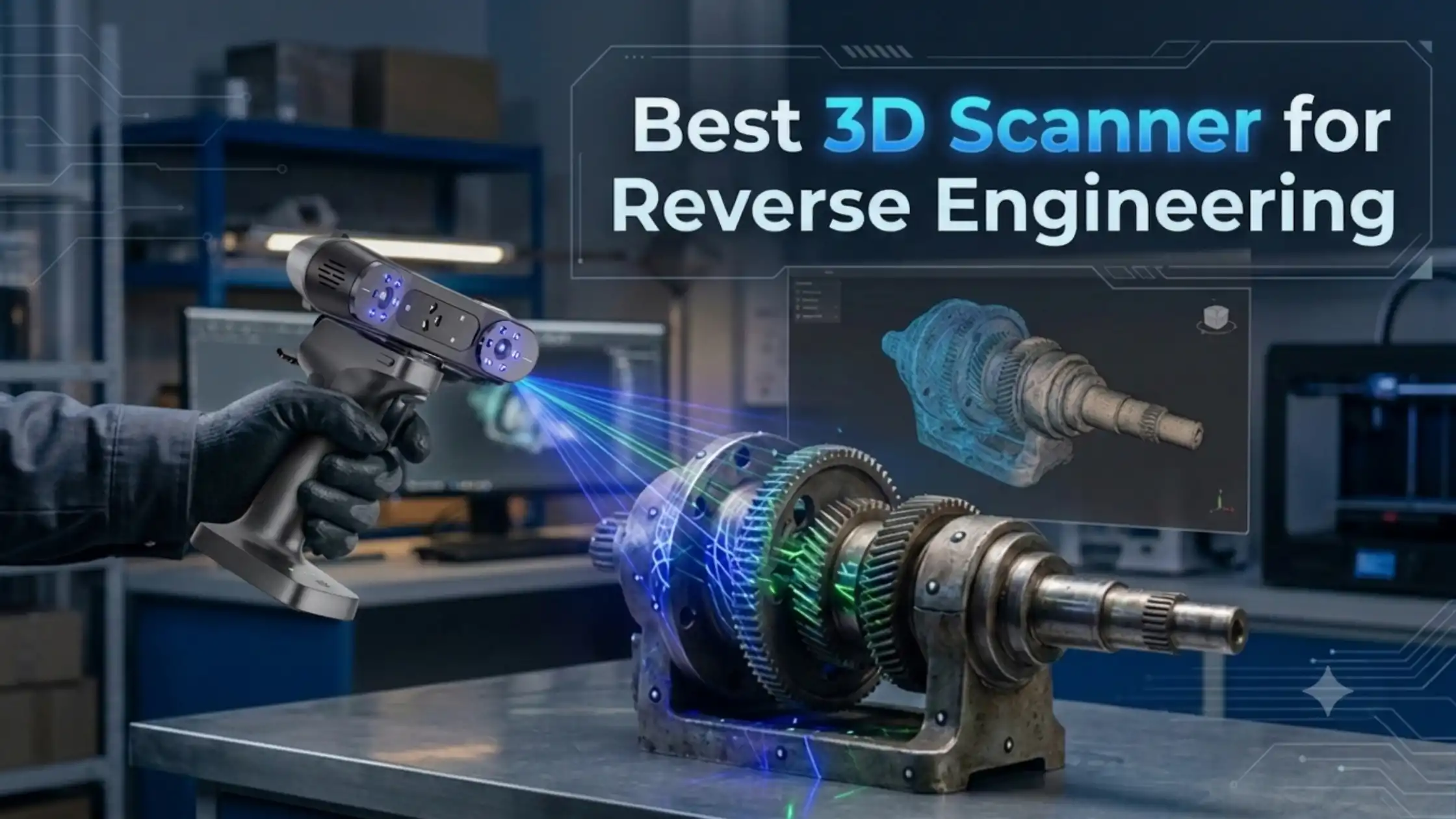
Reverse engineering often starts with a simple problem: you have a physical component, but you do not have a usable CAD file.
Creating that component again can be difficult when it contains curves, holes, recesses, complex surfaces or small details. However, 3D scanning can make the physical-to-digital process much easier.
A 3D scanner captures the geometry of an existing component and creates digital scan data. You can then process this data, create a mesh and use it as a foundation for CAD reconstruction.
However, not every scanner suits reverse engineering.
For this application, accuracy, resolution, tracking, scanning range and surface compatibility all matter. Therefore, choosing the right scanner requires more than looking at one specification.
Among the available options, the Creality RaptorX 3D Scanner stands out for demanding and varied reverse-engineering workflows because it combines multiple scanning technologies, high accuracy and a broad object-size range.
What Makes a 3D Scanner Good for Reverse Engineering?
Before choosing a scanner, it helps to understand what actually matters.
1. Accuracy
Accuracy tells you how closely the captured measurements represent the physical object. For reverse engineering, this matters because even small dimensional differences can affect how a recreated component fits or functions. Therefore, look for a scanner that provides the level of accuracy your application requires.
2. Resolution
Accuracy and resolution are not the same. Accuracy relates to how close the measurement is to the real object. Resolution relates to how finely the scanner captures surface details. For example, a component may require accurate overall dimensions while also containing small grooves, edges or other fine features. As a result, you should consider both specifications instead of focusing on accuracy alone.
3. Tracking Performance
Tracking determines how well the scanner follows the object while you move around it. Depending on the scanner, tracking can use geometry, markers, texture or a combination of methods. Good tracking becomes especially important when you scan large or complex components. It can help maintain alignment as you move around the object.
4. Scanning Range
Object size also plays an important role. A scanner designed for small mechanical components may not provide the same workflow for a large automotive component. Therefore, check the scanner's supported scanning range before making a purchase.
5. Complex Geometry and Difficult Surfaces
Reverse engineering frequently involves parts with holes, grooves, recessed areas, curved surfaces and narrow sections. Surface characteristics matter too. Black, dark, reflective or metallic components can create additional scanning challenges. For this reason, check how the scanner handles the specific surfaces and geometries you work with.
How Does 3D Scanning Fit Into Reverse Engineering?
A 3D scanner is one part of a larger reverse-engineering workflow.
The typical process looks like this:
Physical Part ? 3D Scan ? Point Cloud ? Mesh ? Data Cleanup ? CAD Reconstruction ? Validation ? Manufacturing
First, you scan the physical component.
Next, the scanner generates digital scan data. Software then processes this information into a point cloud and mesh.
After that, you clean and align the scan data. Finally, you use suitable CAD or reverse-engineering software to reconstruct the component.
This distinction is important because a 3D scanner does not automatically turn every physical object into a fully editable CAD model. Instead, the scanner provides the digital geometry that supports the scan-to-CAD process.
Best 3D Scanners for Reverse Engineering
Different projects need different capabilities. So, instead of treating one scanner as suitable for every situation, consider what each model is designed to do.
Creality RaptorX — For Demanding Reverse Engineering Workflows
The Creality RaptorX 3D Scanner is designed for users who need flexibility across different reverse-engineering applications.
It combines 34 cross blue laser lines, 7 parallel blue laser lines and NIR structured light. It also offers 0.02 mm + 0.06 mm/m volumetric accuracy, scanning speeds of up to 1.02 million points per second, wireless scanning and a 5–4000 mm object range.
This combination matters because reverse-engineering projects can vary significantly. One project may involve a detailed mechanical component. Another may involve a much larger automotive or industrial part. Therefore, a scanner that supports different scanning modes and object sizes can fit a wider range of workflows.
Creality Sermoon S1:- For Complex and Recessed Geometry
The Creality Sermoon S1 offers a different strength. It combines blue laser scanning with NIR structured light and supports a 5–4000 mm scanning range. Its specifications include 0.02 mm volumetric accuracy + 0.08 mm/m and scanning speeds of up to 90 FPS. It also focuses on challenging geometry such as deep holes, narrow gaps and recessed areas. Consequently, it can be a suitable consideration when these features are common in your reverse-engineering projects.
Creality Raptor:- For Precision-Focused Laser Scanning
The Creality Raptor focuses on high-precision blue-laser scanning. The listed specifications include 7 blue parallel laser lines, accuracy of up to 0.02 mm, scanning speeds of up to 60 FPS and a 5–2000 mm object range. This makes it a consideration for users who want a more focused precision-scanning workflow for industrial components.
3DMakerpro Toucan Standard:- For Flexible Scanning
The 3DMakerpro Toucan Standard takes a flexible, all-in-one approach. It uses blue laser structured light and offers up to 0.03 mm accuracy in small mode, with different resolution and field-of-view options. It also supports feature, marker and global-marker tracking. Therefore, it can suit users who need flexibility across different object sizes and scanning situations.
Creality CR-Scan Otter Lite:- For Portable Scanning
The Creality CR-Scan Otter Lite focuses more on portability and general-purpose scanning. Its listed features include up to 0.05 mm accuracy, a 20–2000 mm object range, up to 30 FPS, wireless scanning and multiple alignment methods. As a result, it can work well for users who value portability and versatility rather than focusing solely on demanding reverse-engineering precision.
CR-Scan Ferret SE:- For Entry-Level Scanning
The Creality CR-Scan Ferret SE is positioned toward beginners, hobbyists and less demanding digitization applications. Its listed specifications include 0.1 mm accuracy, anti-shake tracking and 24-bit full-color scanning. Therefore, it can be considered when your requirements are more focused on basic digitization, 3D printing and general scanning.
RaptorX vs Sermoon S1 vs Raptor
For serious reverse-engineering users, these three scanners deserve closer attention.

Therefore, your application should guide the decision rather than choosing purely from a specification sheet.
Can a 3D Scanner Create a CAD Model?
Not directly. A scanner creates scan data, rather than automatically producing a finished editable CAD model.
The process usually involves:
Scan ? Point Cloud ? Mesh ? Cleanup ? Surface or Feature Reconstruction ? CAD
You may then use CAD or reverse-engineering software to create the final editable model. This workflow makes 3D scanning particularly useful when you need to recreate an existing component for design, prototyping or manufacturing.
Where Can 3D Scanners Be Used for Reverse Engineering?
3D scanning can support several engineering and manufacturing applications, including:
Mechanical component digitization
Automotive component scanning
Replacement and spare-part development
Product development
Prototyping
Tooling and fixtures
Quality inspection
Dimensional inspection
Manufacturing
Legacy component digitization
3D printing
For example, a manufacturer can scan an existing component and use the resulting geometry as a starting point for reconstruction.
Similarly, a product designer can digitize an existing physical part before modifying its design.
How to Choose a 3D Scanner for Reverse Engineering
Before purchasing a scanner, check these factors:
Object size — Make sure the scanner covers your typical components.
Required accuracy — Match accuracy to your engineering requirements.
Resolution — Check whether it can capture the details you need.
Surface characteristics — Consider black, metallic and reflective surfaces.
Geometry — Check performance around holes, grooves and recessed areas.
Scanning speed — Faster capture can improve large-part workflows.
Tracking — Review geometry, marker and texture tracking options.
Software compatibility — Confirm compatibility with your existing workflow.
Output formats — Check support for formats such as STL, OBJ and PLY.
Portability — Consider whether you need a wired or wireless workflow.
Post-processing — Understand the software required after scanning.
Future applications — Choose a scanner that can support your upcoming projects.
Which 3D Scanner Should You Choose?
There is no single scanner that fits every reverse-engineering project. If you need a versatile scanner for demanding reverse-engineering workflows, RaptorX is a strong option to consider.
If deep holes and recessed geometry are central to your work, Sermoon S1 offers capabilities specifically suited to those features. If you need precision-focused blue-laser scanning, Raptor provides another option.
Meanwhile, Toucan Standard suits users looking for a flexible all-in-one workflow, while Otter Lite focuses on portability and general-purpose scanning. For beginners and less demanding applications, Ferret SE provides an entry-level route into 3D scanning.
Ultimately, the best 3D scanner for reverse engineering depends on your part size, accuracy requirements, geometry, surface type, tracking needs and scan-to-CAD workflow.
If your projects vary from detailed mechanical components to larger industrial parts, the hybrid capabilities and broad scanning range of the Creality RaptorX make it a particularly relevant option to explore.
You can explore and buy these 3D scanners from 3Idea Technology, with options available through the 3Idea website and mobile app. Browse the range, compare models and choose the scanner that best fits your application and workflow.
Explore 3D Scanners: https://www.3idea.in/category/3d-scanner
Shop on the App: https://play.google.com/store/apps/details?id=com.threeidea&pcampaignid=web_share
https://apps.apple.com/in/app/3idea/id6762472249
Frequently Asked Questions
Q. What is the best 3D scanner for reverse engineering?
Ans: The best 3D scanner depends on accuracy, object size, geometry, surface type and your scan-to-CAD workflow. Creality RaptorX would be best for demanding reverse engineering workflows
Q. Can a 3D scanner be used for reverse engineering?
Ans: Yes, a 3D scanner can capture an existing component and provide digital data for reverse-engineering workflows.
Q. How accurate does a 3D scanner need to be for reverse engineering?
Ans: The required accuracy depends on the component, dimensional tolerances and final application.
Q. What is the difference between 3D scanning and reverse engineering?
Ans: 3D scanning captures physical geometry, while reverse engineering uses that data to reconstruct or develop a digital model.
Q. Can a 3D scanner create a CAD model?
Ans: A scanner creates scan data; additional processing and CAD reconstruction are normally required to create an editable CAD model.
Q. What is the best 3D scanner for automotive reverse engineering?
Ans: The choice depends on vehicle-part size, geometry, surface characteristics, accuracy and scanning range.
Q. Can 3D scanners scan black and reflective objects?
Ans: Some scanners are designed to handle difficult black or metallic surfaces, although results can still depend on the object and scanning conditions.
Q. Is RaptorX good for reverse engineering?
Ans: RaptorX is designed for demanding workflows and combines blue-laser and NIR scanning with a broad object-size range.
Q. What is the difference between RaptorX and Sermoon S1?
Ans: RaptorX emphasizes versatile hybrid scanning, while Sermoon S1 places particular emphasis on deep holes, narrow gaps and recessed geometry.
Q. Which 3D scanner is best for mechanical parts?
Ans: The appropriate scanner depends on the mechanical part's size, detail level, surface and required dimensional accuracy.
Q. Can a 3D scanner be used for quality inspection?
Ans: Yes, scan data can support dimensional inspection and comparison workflows when paired with suitable processing or inspection software.
Q. What software is needed after 3D scanning?
Ans: Depending on the workflow, you may need software for point-cloud processing, mesh processing, reverse engineering, inspection and CAD reconstruction.