
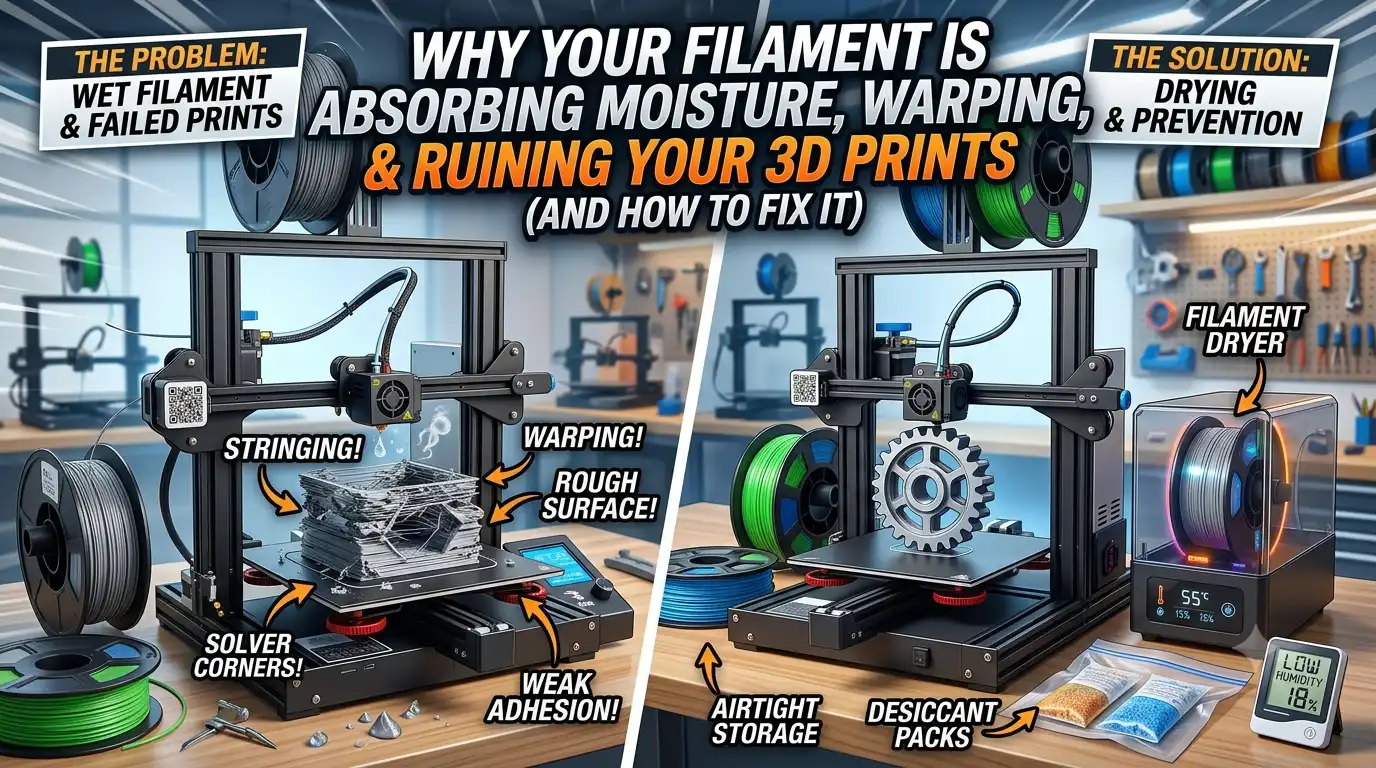
Your printer settings may be perfect, your bed levelled correctly, and your slicing profile fully optimized, but your filament could still be silently ruining every print.
One of the most common yet overlooked causes of print failures is filament absorbing moisture from the surrounding air. Many 3D printing materials are hygroscopic, meaning they naturally pull water vapor from the environment. Once moisture enters the filament, it can lead to stringing, warping, rough surfaces, weak parts, and inconsistent extrusion.
If you've recently experienced unexplained print quality issues, wet filament may be the hidden culprit. Understanding how moisture affects printing and learning how to prevent it can dramatically improve print quality while reducing wasted time and material.
Why Does 3D Printing Filament Absorb Moisture?
Most 3D printing materials are hygroscopic to varying degrees. This means they absorb humidity directly from the air, even when stored indoors.
As filament absorbing moisture becomes saturated with water vapor, that moisture turns into steam when passing through the hot nozzle. The result is poor extrusion consistency and visible print defects.
Different materials react differently to humidity.
Materials such as Nylon and PVA can begin absorbing moisture within hours of exposure, while PLA and PETG typically take longer but are still vulnerable.
Signs Your Filament Has Absorbed Moisture
Recognizing the symptoms early can help prevent failed prints and wasted material.
Popping or Cracking Sounds: One of the easiest signs of wet filament is hearing popping or crackling noises during printing. This happens when trapped water rapidly converts to steam inside the nozzle.
Excessive Stringing: If your prints suddenly develop fine strands between features, moisture may be affecting extrusion consistency.Many users find that wet filament is responsible for unexplained stringing despite unchanged printer settings.
Rough Surface Finish: Moisture often creates uneven extrusion that leads to rough or pitted surfaces.
Weak Layer Adhesion: Water contamination can reduce bonding between layers, making parts weaker and more prone to failure.
Brittle Filament: Spools that snap easily during handling may have absorbed excessive moisture over time.
How Moisture Affects Print Quality
The impact of moisture extends far beyond cosmetic issues.
Warping: Steam expansion during extrusion can create uneven cooling and dimensional inconsistencies.
Stringing: Moisture disrupts filament flow, causing unwanted strings and blobs throughout the print.
Under-Extrusion: Water vapor reduces extrusion consistency, leading to gaps and missing material.
Surface Defects: Rough textures, bubbles, and visible imperfections often occur when filament absorbing moisture is printed without proper drying.
Reduced Mechanical Strength: Parts printed using wet filament often have weaker layer bonding and reduced structural performance.
For functional components, this can lead to premature failure under load.
Which Filaments Are Most Affected?
PLA: Although often considered beginner-friendly, PLA still absorbs moisture and can develop stringing and brittle behavior if stored improperly.
PETG: PETG moisture issues commonly appear as excessive stringing and poor surface finish.
TPU: Flexible materials tend to absorb moisture rapidly and often require controlled storage conditions.
Nylon: Nylon is one of the most hygroscopic materials used in 3D printing and generally requires drying before critical applications.
PVA: As a water-soluble support material, PVA is extremely sensitive to humidity and must be stored carefully.
How to Dry Wet Filament Properly
If moisture contamination has already occurred, drying the filament can often restore print quality.
Method 1: Use a Filament Dryer
A dedicated filament dryer provides controlled temperature and airflow, making it the safest and most effective solution.
This is generally the preferred method for removing moisture from wet filament.
Method 2: Use a Food Dehydrator
Many hobbyists successfully use food dehydrators to dry filament at consistent temperatures.
Method 3: Use an Oven (With Caution)
A conventional oven can work, but temperature fluctuations may damage the spool or filament if not carefully monitored.
Recommended Drying Temperatures
Always follow manufacturer recommendations whenever available.
Best Ways to Store Filament
Preventing moisture exposure is far easier than troubleshooting failed prints.
Vacuum Storage Bags: Vacuum-sealed storage significantly reduces humidity exposure.
Airtight Containers: Plastic storage boxes with secure seals provide effective protection for frequently used materials.
Dry Boxes: Dry boxes allow continuous printing while maintaining low humidity levels.
Silica Gel Packs: Silica gel absorbs excess moisture and helps maintain stable storage conditions.
Learning how to keep filament dry is one of the simplest ways to improve long-term print consistency.
Do You Need a Filament Dryer?
The answer depends on how often you print and which materials you use.
Hobby Users: Occasional users printing primarily with PLA may only require airtight storage and periodic drying.
Professional Users: Engineers and product developers benefit from consistent drying practices, particularly when producing functional parts.
Print Farms: For high-volume operations, a filament dryer is often essential. Maintaining dry material improves reliability, reduces waste, and prevents downtime caused by filament absorbing moisture.
For many users, a dedicated dryer quickly pays for itself by reducing failed prints and material loss.
Moisture Prevention Checklist
Follow these simple best practices:
Store filament in airtight containers
Use silica gel packs
Dry filament before critical prints
Avoid leaving spools exposed for long periods
Monitor room humidity levels
Use dry boxes for moisture-sensitive materials
Label dried spools with drying dates
Consistent storage habits can dramatically reduce the likelihood of wet filament affecting future projects.
Conclusion
Moisture is one of the most common hidden causes of print failures in 3D printing. From stringing and warping to weak parts and rough surfaces, the effects can impact both appearance and performance.
Fortunately, preventing these issues is straightforward. Proper storage, humidity control, and occasional drying can help maintain material quality and improve print reliability.
Whether you're a hobbyist or a professional user, understanding the risks of filament absorbing moisture and addressing wet filament early can save time, reduce waste, and consistently deliver better 3D printing results. You can get the premium quality filaments from 3Idea.
Frequently Asked Questions
Q. How long does it take for filament to absorb moisture?
Ans: The timeframe depends on the material and environmental humidity. Nylon and PVA may absorb moisture within hours, while PLA typically takes longer.
Q. Can PLA absorb moisture?
Ans: Yes. Although less sensitive than some engineering materials, PLA can still absorb moisture and develop print quality issues.
Q. Does wet filament always cause stringing?
Ans: Not always, but stringing is one of the most common symptoms associated with moisture contamination.
Q. How often should I dry filament?
Ans: Frequency depends on usage, climate, and storage practices. High-humidity environments may require more frequent drying.
Q. Is a filament dryer worth it?
Ans: For frequent users, engineering materials, and print farms, a filament dryer can significantly improve consistency and reduce failed prints.