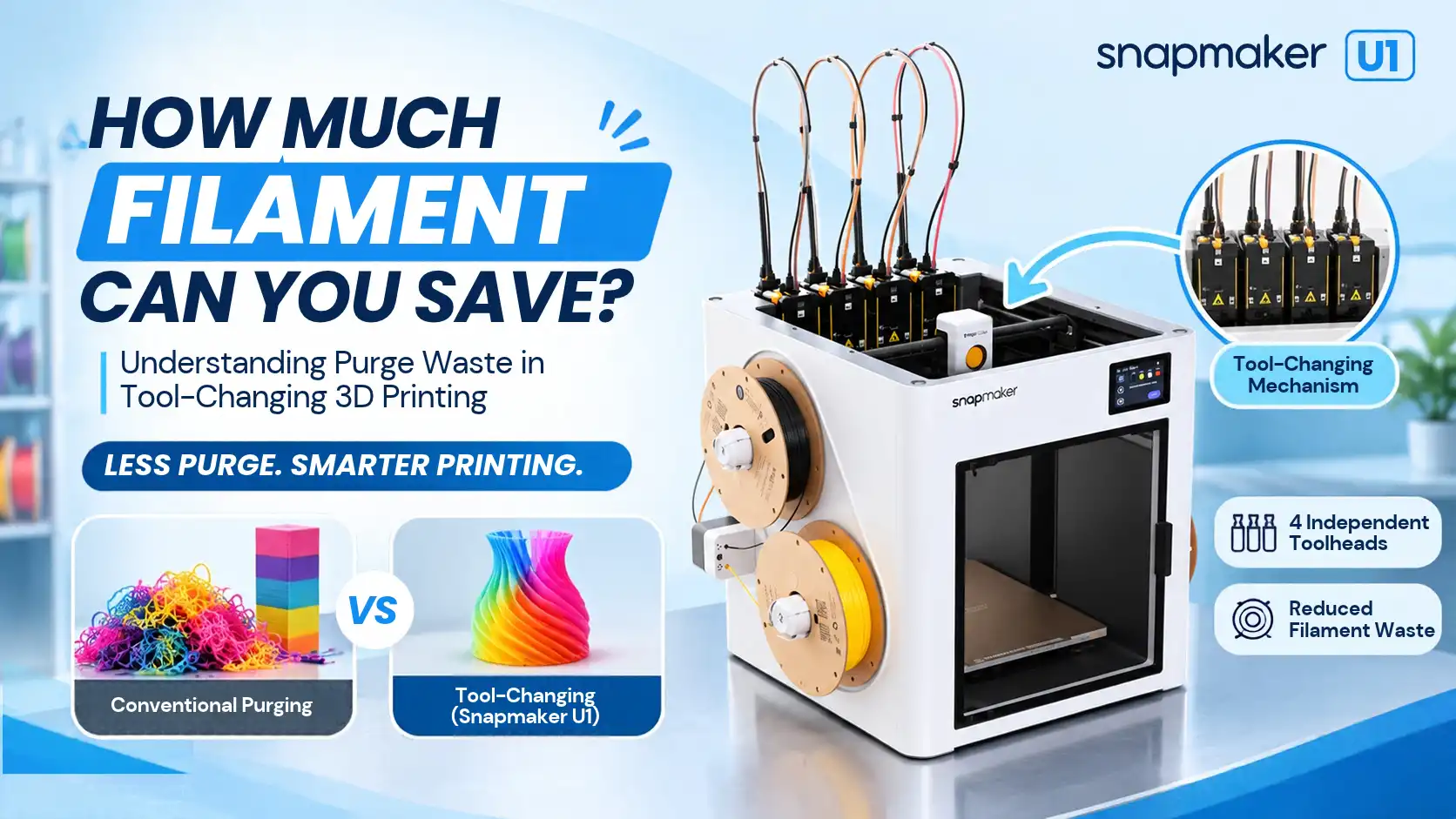
Multi-colour 3D printing opens up exciting possibilities for creators, designers and businesses. However, printing with multiple colours through a shared nozzle can also consume more filament than expected. Every colour change may require additional purging, which creates waste and increases material consumption.
A tool-changing 3D printer offers another approach. Instead of repeatedly flushing one nozzle, it switches between dedicated printheads. But how much filament can this actually save? Let's understand how purge waste occurs, how tool-changing technology helps and what determines the potential savings.
Why Does Multi-Colour 3D Printing Create Filament Waste?
Understanding Purge Waste
In a conventional multi-colour printing workflow that uses one shared nozzle, the printer feeds different filament colours through the same melting chamber. Before the next colour can print accurately, the system often needs to remove the remaining filament from the previous colour.
This process is called purging or flushing. For example, when a printer changes from black to white filament, traces of black material may remain inside the nozzle. Without sufficient flushing, they can affect the appearance of the white section.
Consequently, frequent colour transitions can increase filament consumption, particularly in models with many small coloured sections.
What Is a Purge Tower?
A purge tower is an additional structure printed alongside the main model. The printer deposits flushed filament into this structure during colour transitions.
Depending on the slicer and printer configuration, some workflows can also direct purge material into infill or other designated areas. Although these methods help manage colour changes, they still consume material that does not necessarily become part of the finished product.
What Is a Tool-Changing 3D Printer?
A tool-changing 3D printer uses multiple print tools or toolheads and switches between them during a print. Each dedicated tool can hold a different filament, allowing the machine to select the required colour or material when needed.
Unlike a shared-nozzle setup, the printer does not always need to flush the previous colour from the same nozzle before printing the next one.
This approach makes tool-changing technology particularly useful for multi-colour and multi-material applications. It can also reduce the need for large purge structures, depending on the printer's design and printing workflow.
How Does Tool-Changing Technology Reduce Purge Waste?
Tool-changing technology improves material efficiency through a few important differences.
1. Separate Toolheads for Different Filaments
Each toolhead can work with its own filament. Therefore, the printer can switch between colours without sending every material through the same nozzle.
2. Reduced Colour Flushing
Because dedicated tools keep different filaments separate, the printer can reduce the flushing required during colour transitions. This is especially useful for models that contain frequent colour changes.
3. Less Reliance on Purge Towers
Some tool-changing workflows can avoid purge towers for colour changes because they do not need to clear a shared nozzle repeatedly. However, the printer may still require priming or cleaning operations.
It is important to remember that tool-changing technology does not eliminate all waste. Oozing, priming, supports, calibration and failed prints can still consume additional filament.
How Much Filament Can You Actually Save?
The amount of filament saved depends on the model, number of colour changes, print settings, slicer configuration and printer architecture. Therefore, there is no universal percentage that applies to every print.
Consider this hypothetical example of a model that requires 100 g of filament in its finished form.
In this example, the tool-changing workflow uses 50 g less filament.
Potential material saving:
(160 ? 110) ÷ 160 × 100 = 31.25%
This means the example demonstrates a potential saving of 31.25% compared with the shared-nozzle workflow.
However, these figures are illustrative, not measured results or guaranteed savings from a particular printer. Actual results require a like-for-like comparison using the same model, colours, slicer settings and printing conditions.
Tool-Changing vs Traditional Multi-Colour Printing
Both technologies support multi-colour printing, but they handle filament transitions differently.
An AMS-style system generally feeds different filaments through a shared nozzle, whereas a tool-changing printer switches between dedicated tools. However, different printer architectures and slicer configurations can produce different results.
Benefits and Limitations of Tool-Changing 3D Printers
Tool-changing technology offers several practical advantages:
Reduced colour contamination: Dedicated tools help keep different filament colours separate.
Potentially lower purge consumption: Less flushing can mean less discarded filament.
Multi-material flexibility: Users can work with different materials through separate tools, subject to printer compatibility.
Improved material efficiency: Suitable printing workflows can reduce unnecessary purge structures.
However, this technology also has limitations. Multiple toolheads introduce additional mechanical complexity, calibration requirements and maintenance. Some systems may also involve a higher initial investment. Furthermore, tool-changing does not eliminate priming, oozing or other forms of material waste.
Is a Tool-Changing 3D Printer Worth It?
A tool-changing printer can be a worthwhile investment for users who regularly produce multi-colour models or work with multiple materials.
Print farms, product designers, prototyping teams and professional makers may benefit from reduced purge consumption across suitable print jobs. Over time, even small material savings per print can become meaningful when production volumes increase.
On the other hand, users who primarily print single-colour models may not experience the same benefits. Therefore, consider your printing frequency, material requirements and typical model complexity before choosing a system.
Explore Tool-Changing 3D Printing with Snapmaker U1
The Snapmaker U1 brings tool-changing technology into multi-colour 3D printing. Its dedicated toolheads offer an alternative to repeatedly flushing different colours through one shared nozzle, making it a relevant option for users looking to improve material efficiency.
Explore the Snapmaker U1 at 3Idea and discover how tool-changing technology can support your printing workflow.
Frequently Asked Questions
1. What is purge waste in 3D printing?
Ans:- Purge waste is the extra filament expelled during colour or material transitions to clear residual material from a shared nozzle.
2. Do tool-changing 3D printers eliminate filament waste?
Ans:- No, they can reduce certain types of purge waste, but priming, oozing, supports and failed prints can still consume filament.
3. How much filament can a tool-changing 3D printer save?
Ans:- Savings depend on the model, colour changes, print settings and printer design; there is no universal saving percentage.
4. Do tool-changing printers need a purge tower?
Ans:- Not necessarily, because dedicated toolheads can reduce the need for purge towers during colour changes, although some workflows may still require cleaning or priming structures.
5. Is a tool-changing printer better than an AMS system?
Ans:- It depends on your printing requirements, material choices, colour transitions, production frequency and budget.
Conclusion
Tool-changing technology offers a practical way to reduce filament waste in multi-colour 3D printing. By switching between dedicated printheads, these printers can reduce the need for repeated colour flushing and purge structures. For users who regularly print multi-colour models, this can improve material efficiency and make printing workflows more economical.
Explore More at 3Idea
Explore our 3D Printers for different printing technologies and applications.
Browse our 3D Printing Filaments to find materials for your next project.
Discover the Snapmaker U1 and explore tool-changing 3D printing.
Stay Connected with 3Idea
Download the 3Idea app to explore 3D printers, filaments, accessories and more: