If you have ever watched a multi-colour print pause every two layers to purge filament, you already know the bottleneck. Single-extruder machines did the job for the first decade of desktop 3D printing, but multi-colour, multi-material work has outgrown what one nozzle can deliver. Tool-changing systems like the Snapmaker U1 close that gap — not by being marginally faster, but by eliminating the steps that wasted the time in the first place.
This article walks through where single-extruder workflows actually break down, what a multi-tool head machine does differently, and the concrete numbers behind the swap.
Where a single-extruder workflow breaks down
The single-extruder model has three structural costs that compound on any job involving more than one material or colour.
- Time lost to filament swaps. On a stock single-extruder machine, every colour change means retract, unload, load the next spool, purge to clear residue, and resume. Even at the optimistic end, that is 30–60 seconds per change. Across a 200-layer two-colour print with changes on most layers, you have added 1–2 hours of pure swap time before a single useful gram has been laid.
- Material lost to the purge tower. The purge tower is not optional waste — it is structural waste. A single nozzle has to fully clear the previous colour before it can lay down the next, and the only way to do that is extrude filament you will then throw away. On AMS-style systems running four colours, the purge tower routinely consumes 30–50% of the total filament for the print.
- Quality loss at the colour boundary. Even with a clean purge, residual filament in the melt zone creates colour bleed at every transition. Multi-colour prints often need post-processing or design compromises just to hide where one colour ends and another begins.
Each of these has workarounds — slower print speeds, larger purge towers, careful colour planning — but they are workarounds, not solutions. The constraint is the single melt zone.
What a multi-tool head printer does differently
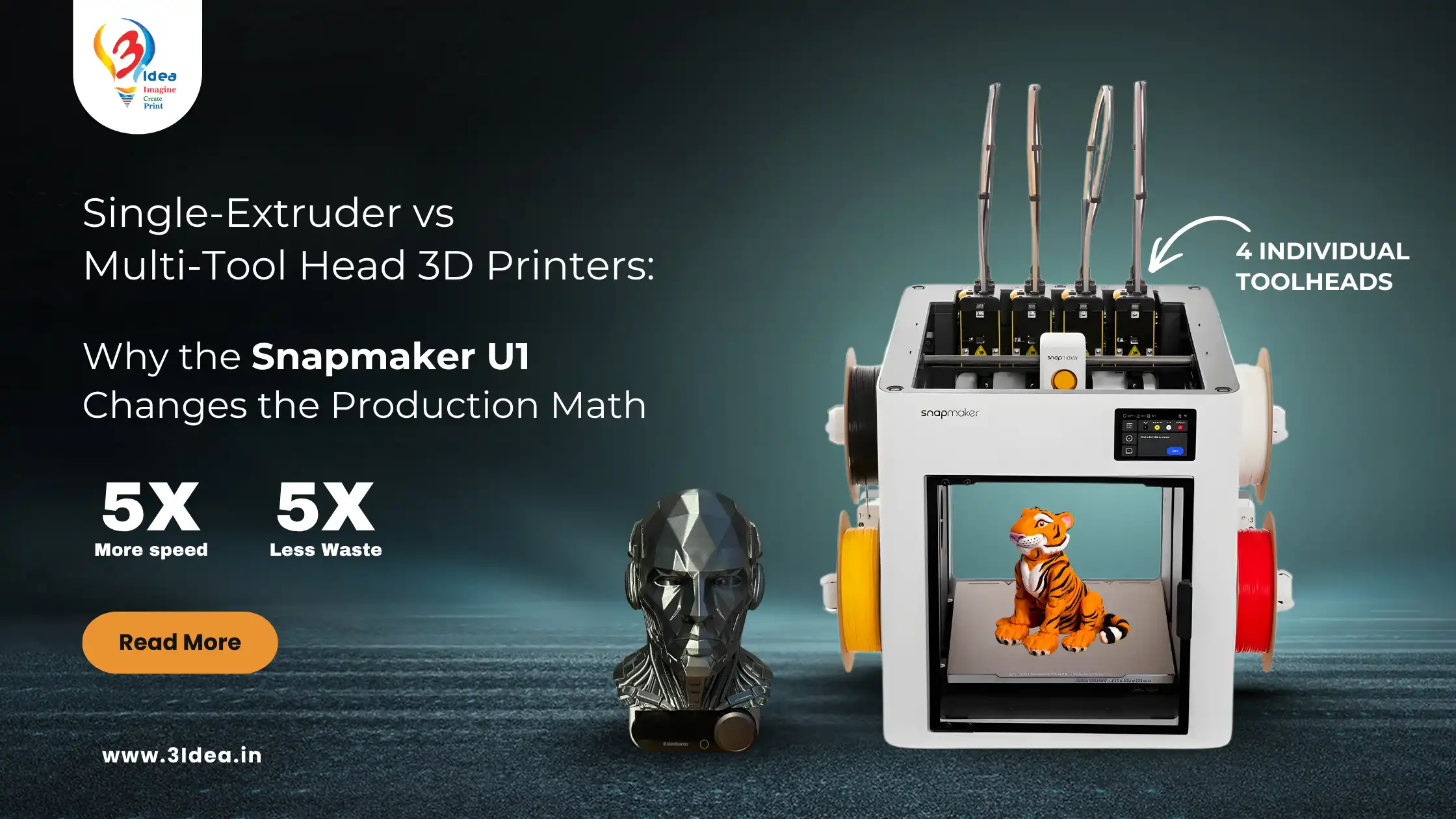
A multi-tool head printer carries multiple complete hotend assemblies and physically swaps which one is active during the print. Instead of purging one nozzle between colours, the printer parks the current head and picks up the next one — already loaded with its own filament, already at temperature.
The mechanical consequence: zero filament needs to be purged to change colour, because the colour change is a mechanical handoff, not a thermal one. The colour boundary is sharp because no residual material crosses it.
The Snapmaker U1 implements this through a coupled tool-head magazine and a quick-swap mechanism the company calls Snap-Swap. The active head docks, the next undocks, and printing resumes — in roughly the time a traditional machine would spend on a single retract.
Head-to-head: where the numbers land
The three metrics that matter for production work — waste, swap time, and build volume — all move materially in favour of the U1.
Metric | Traditional single-extruder | Snapmaker U1 |
Purge waste per multi-colour print | 30–50% of total filament | Up to 80% lower |
Colour-change time | 30–60 seconds (purge + reload) | ~5 seconds (mechanical swap) |
Build volume | Typical 220 × 220 × 250 mm | 270 × 270 × 270 mm |
Colour-boundary quality | Residual bleed at transitions | Clean — no shared melt zone |
The build volume number deserves a separate note. The Snapmaker U1 prints a roughly 19.7-litre cube — about 50% more volume than a 220 × 220 × 250 machine. That changes what you can build in a single job, which in turn changes how many jobs you have to supervise.
Snapmaker U1 — what is actually in the box
The U1 is positioned as a desktop production machine rather than a hobbyist printer, and the spec sheet reflects that.
• Tool-head magazine: four independently loaded hotends, each retaining its own filament between jobs.
• Snap-Swap mechanism: mechanical tool change in roughly 5 seconds, with no purge required for colour transitions.
• Build volume: 270 × 270 × 270 mm — large enough for batch production runs of medium-sized parts.
• Material handling: supports PLA, PETG, ABS, TPU, and engineering filaments like PA-CF, with material profiles managed per tool head.
• Use cases: rapid prototyping where multiple materials are needed in one part, batch production where supervised reloads are a bottleneck, and multi-colour design work where waste and time both matter.
For a detailed walk-through of the Snap-Swap mechanism, see the official Snapmaker U1 product page.
What customers report after switching
Three of our customers who have run the U1 for at least a month — across hobby, prosumer, and small-business contexts — sent feedback that lines up with the spec sheet rather than contradicting it.
“Machine works exceptionally good. Had my doubts initially with the tool-head mechanism, but the machine has outperformed expectations. Have printed approximately 500 hours in the last 1.5 months with minimum failures.” — Binu K
“I have had a really good experience with the Snapmaker U1 so far. The multi-nozzle setup for each colour is a big advantage, producing little to no filament waste compared to typical AMS systems. Print quality is impressive, and overall the pricing is decent compared to other multi-nozzle printers.” — Siddharth Thakur
“It is doing great and working as promised by the 3idea team. Huge shout-out to the team — I am already working with the Bambu Lab A1 and A1 Mini from them and planning to buy more of these. Thank you.” — Gurpreet Saini
Two patterns stand out in this feedback. First, the reliability claim holds up — 500 hours of printing with minimum failures is a real production-grade number. Second, the comparison customers reach for is not other single-extruder machines; it is AMS-style multi-material systems on the Bambu Lab line. That is the right comparison to make.
Who should — and should not — upgrade
A multi-tool head printer is not the right answer for everyone. The honest framing is this:
Worth the upgrade if you run multi-colour or multi-material prints regularly, value supervised production time at more than a few hundred rupees an hour, sell prints commercially, or run an education or prototyping setup where machine time is the bottleneck.
Not yet worth it if you print mostly single-colour functional parts, do not value the additional 50 mm of build volume, or already have a multi-machine setup where adding capacity is more valuable than adding capability per machine. The U1 is a capability upgrade, not just a capacity one — its value scales with how often you actually use multi-material features.
Bottom line
Single-extruder printers are not obsolete — they are still the right tool for plenty of work. But for multi-colour and multi-material prints, the architectural ceiling on a single melt zone is real, and tool-changing systems clear it cleanly. The Snapmaker U1 puts the technology at a desktop price point with credible field reliability behind it.
If your current machine is the bottleneck, check Snapmaker U1 availability and pricing on the 3idea product page.
Frequently asked questions
1. Is a multi-tool head printer actually faster than a single-extruder?
Ans. For single-colour prints, no — both will deposit material at similar rates. For multi-colour or multi-material prints, yes, significantly. The saving is in eliminated purge cycles, not in faster motion. On a job with 50 colour changes, a single-extruder machine spends 25–50 minutes purging. A tool changer spends 4–5 minutes swapping.
2. How much filament does the U1 actually save?
Ans. Up to 80% reduction in purge waste on multi-colour prints versus AMS-style single-extruder systems. The exact saving depends on the print — designs with frequent thin-layer colour changes save more than designs with large single-colour zones.
3. Can the U1 print engineering materials, not just PLA?
Ans. Yes. It handles PLA, PETG, ABS, TPU, and carbon-fibre composites like PA-CF. Each tool head can carry a different material profile, so you can mix a structural body in PETG with TPU gaskets and supports in PLA in the same print.
4. What about slicer support?
Ans. The U1 uses Snapmaker Luban for native workflows, and it can be configured in third-party slicers like PrusaSlicer and OrcaSlicer for users who prefer those toolchains.
5. Is it suitable for production environments?
Ans. Field reports from customers running 400–500 hours a month suggest yes, with the usual caveat that any production setup needs a maintenance routine — nozzle inspection, bed levelling checks, and filament drying. The mechanical tool change adds one part to monitor, but reduces purge-tower failures, so the net maintenance load is comparable to a single-extruder machine.
6. How does the U1 compare to Prusa XL or Bambu Lab X1C with AMS?
Ans. The Prusa XL is the closest direct comparison — both are tool-changing systems, both target prosumers. The XL goes larger (360 × 360 × 360 mm) but costs roughly 2.5–3× more. The Bambu X1C with AMS is a different architecture: it is a single-extruder system with automated filament switching, so it has the purge-waste problem the U1 was designed to eliminate. If multi-material waste matters to your workflow, that distinction is the entire purchase decision.